dsh-share app icon

Access your DeepSeek Harness from your phone

dsh-share is built for you to reach your local DeepSeek Harness (dsh) web workspace from your phone, your iPad, or any browser — over a secure, temporary tunnel that exists only while you use it. It's not for sharing: the URL and password are meant for you. Free, no account, no signup.

Bundled DeepSeek Harness v0.1.0-rc.6

macOSDMG · Apple Silicon WindowsNSIS installer LinuxAppImage

One click. One public URL.

dsh-share bundles everything you'd otherwise wire by hand — the tunnel, the auth, and the trusted-host dance — into a single control window.

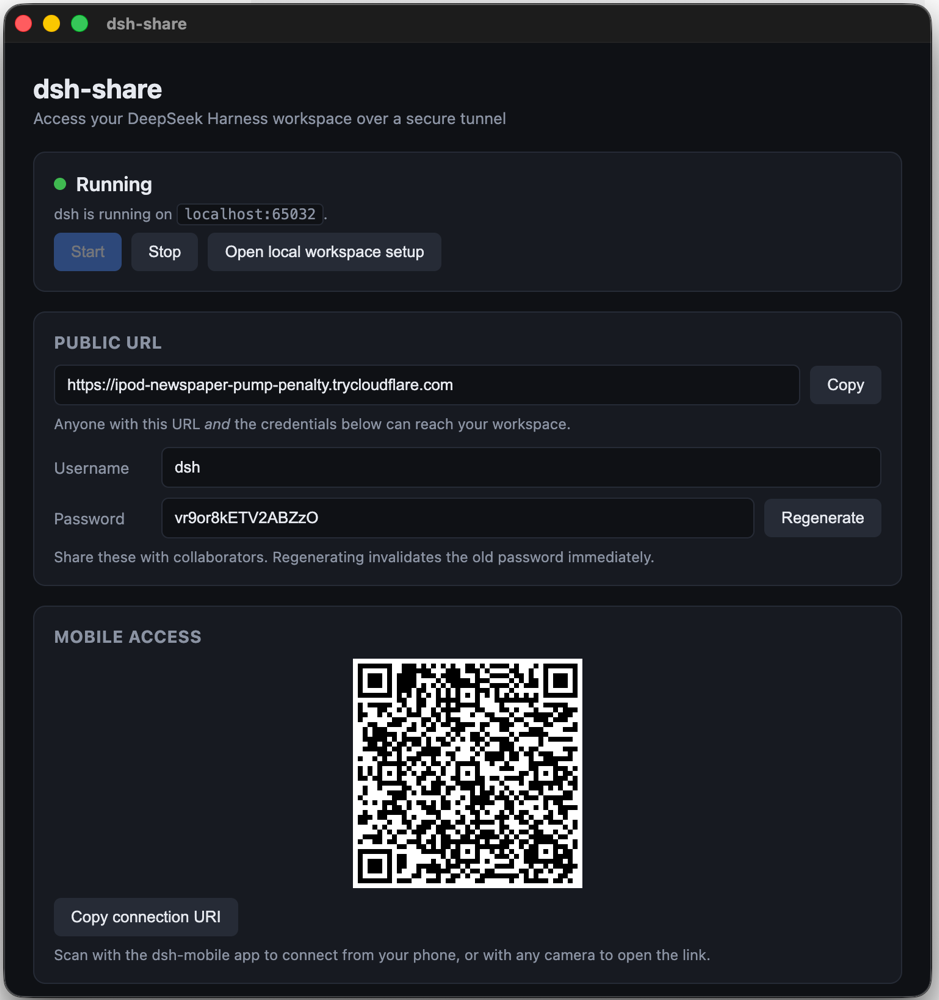
dsh-share control window showing Running status, the public URL, credentials, and a QR code

The control window shows the status, your public https://*.trycloudflare.com URL, auto-generated credentials, and a QR code for mobile access.

How it works

No ngrok account, no Cloudflare token, no settings to configure.

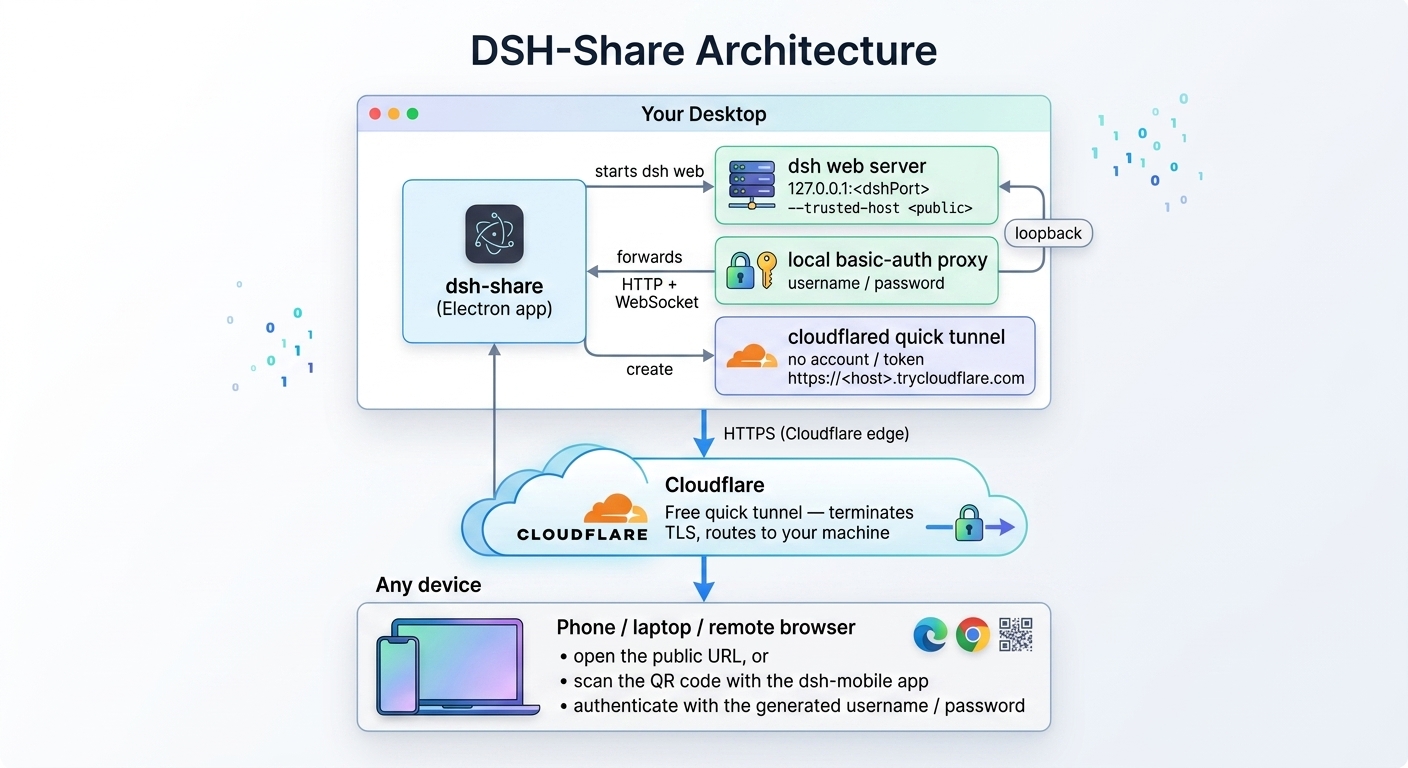
dsh-share architecture: your desktop runs dsh-share, which starts the dsh web server, a local basic-auth proxy, and a cloudflared quick tunnel; Cloudflare terminates TLS and routes HTTPS to your machine; any device opens the public URL and authenticates with the generated username and password

Your desktop → Cloudflare → your phone or iPad. The tunnel is free, needs no account, every hop is HTTPS, and it disappears the moment you stop.

Your workspace, on your iPad

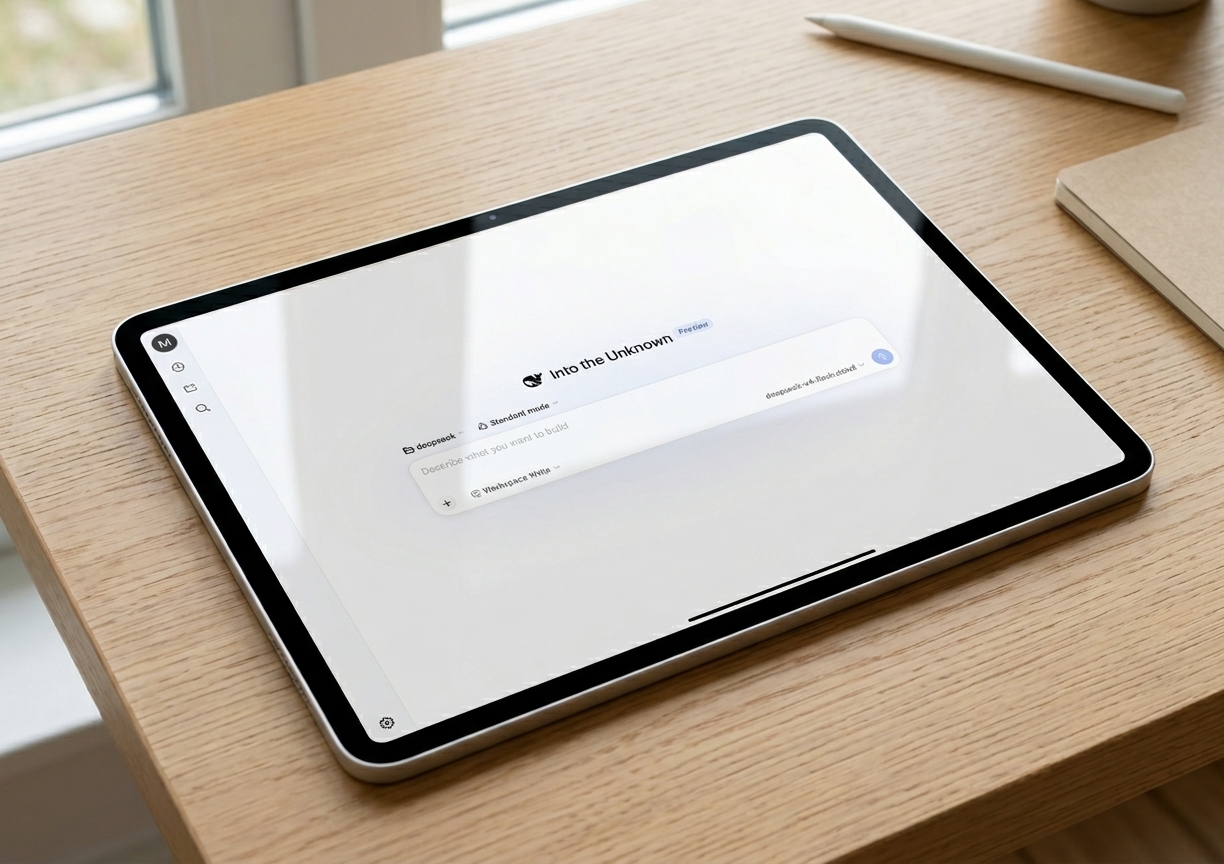
Open the public URL in any browser on your iPad and keep building — the full dsh web UI, served from your desktop over HTTPS.

DeepSeek Harness web UI open in a browser on an iPad, connected through dsh-share

DeepSeek Harness web UI on an iPad, connected through a dsh-share tunnel.

Features

Everything you need to reach your workspace from anywhere.

Zero-friction start

Just click Start. No ngrok account, no authtoken, no Settings to configure.

Free Cloudflare tunnels

Quick tunnels need no account, token, or signup — HTTPS to your machine, for free.

Auto-generated credentials

Username and password are generated on first launch, stored locally, and regenerable from the UI.

Mobile access

A QR code in the control window — scan it with the dsh-mobile app to connect from your phone.

Cross-platform

DMG / zip for macOS, NSIS for Windows, AppImage for Linux — built by GitHub Actions CI.

Open source

MIT licensed. Read the source, file an issue, or send a PR on GitHub.